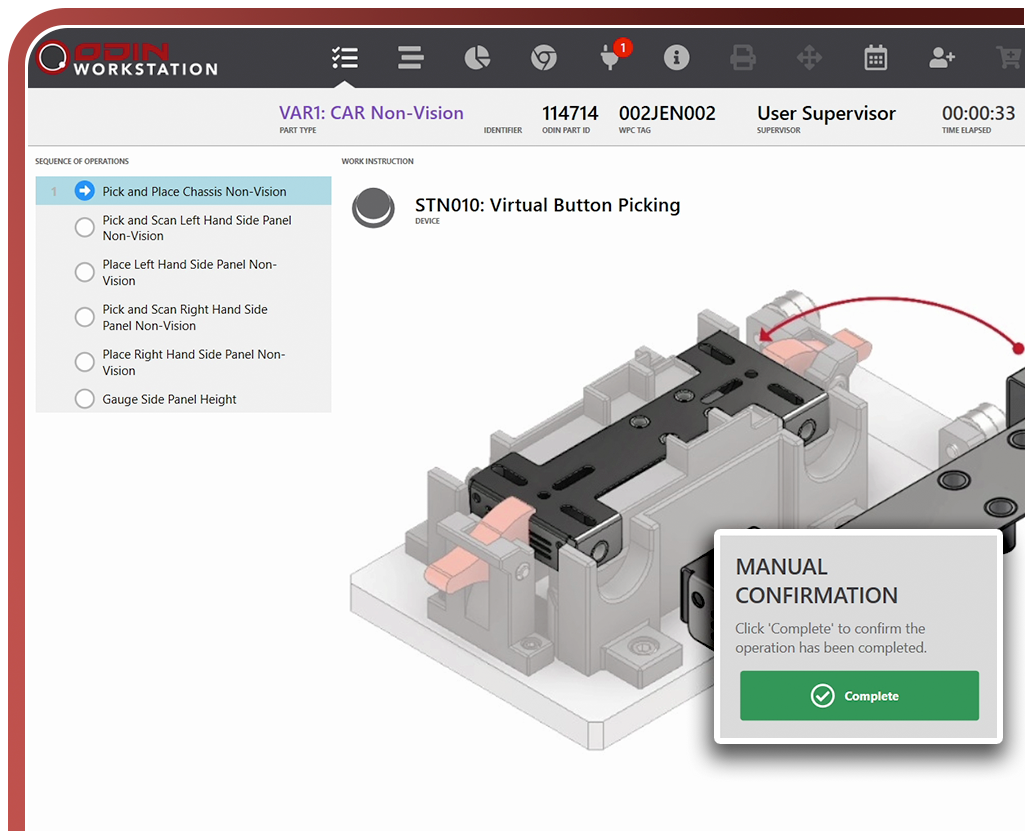
The ODIN Workstation glossary
What is a BOM? What does process reliability mean? What are the benefits of digital checklists? You can find the answers in the ODIN Workstation glossary.

A
Access Level
Each Operator is assigned an Access Level which determines what functionality that operator has the ability to use. The default access levels are Operator, Supervisor and Maintenance.
Audit
An audit is a mechanism whereby some fraction of parts undergo additional processes intended to investigate overall part quality. Multiple audits can be configured for each part type. Audits can either be used to alter the process sequence within a station, or alternatively can cause the station order of the chosen part to be changed.
B
Background Task
Sequence elements which are able to run unsupervised and which are not immediately required to be complete for the next sequence element to start can be run as background tasks. Background tasks should always set a sequence flag to be checked at some point before the end of the substation sequence (or another active substation sequence) to ensure that they are properly completed before the part leaves the station.
Batch Build
The term Batch Build is used to refer to a production strategy where parts of the same part type are built in batches rather than on a JITJIS basis.
Bill of Material (BOM)
The BOM is the list of items used in building a given part. This determines all the parts needed in the process and that will be consumed or added to the final part.
C
Calculation Key
In many cases it is necessary for operations to use data gathered from previously performed operations in order to perform calculations. However, it can be the case that the data that is required is not always generated by the same operation. As a result, multiple operations that produce the same data required for a subsequent calculation need to be linked to each other. This is achieved by assigning them all the same calculation key.
Calibration
A process whereby a device is scaled and zeroed to real-world values. A calibration is usually performed with multiple exemplars with known characteristics. The device acts upon the exemplars and then is able to derive a real-world scale and offset which can be applied to other iterations of the device process in order to convert the raw values produced by the device into values that represent real-world characteristics. Calibration is distinct from Verification and the two should not be confused.
Component
Components are items which become attached or associated to a part during the production process. The choice of components used in the production process of a part may differ from partType to partType.
Component Data
Each component can have Component Data associated with it. The Component Data consists of a set of values that are associated specifically with that component. For purposes of clarity, each item of component data must be associated with a specific Component Group Data Specification.
Component Group
When components are selected, this is done from a pool or group of similar components that serve a common function and which share common characteristics. This pool or group is referred to as a Component Group. The important thing to note about a component group is that when a selection is made from the component group, only one member of the group is selected. If it is possible that a particular part would require two different components from the same component group then the component groups have not been configured correctly. Note that selecting more than one unit of the same component (in other words, a quantity > 1) does not count as selecting multiple components from the component group.
Component Group Data Specification
The Component Group Data Specification provides a framework with which the component data of all components within that component group conform. Thus, if a particular data value exists for one member of a component group, then all members of that component group have the ability to have that data value populated with a value that represents the characteristics of that component.
D
Depletion Rate
When components are incorporated into a part, the quantity of such components allocated to the part is the Depletion Rate. This term comes from the fact that each allocated component depletes the dunnage from which it is taken.
Device
Device is a term used to encompass the tools and equipment used in the production process. Devices are widely varied and can include objects such as tightening tools, barcode scanners, servo-electric or hydraulic presses as well as assorted testers and measuring gauges. It can even be as simple as an acknowledgement push-button. Ultimately, anything used by the operator to perform operations upon the part, provided it is connected to the ODIN system, is a device.
Device Controller
A device controller is a form of device that controls other devices. A device controller is never itself used to perform an operation, but one or more of the devices it controls may be. The ODIN system needs to know about the relationship between controller and device as it will need to communicate with the controller when it needs to control the device.
Device Group
Some operations need to be performed by multiple devices working together. In such a case, the devices must be grouped together so that the system understands that they are used collectively. Note that just because a device is part of a device group for a particular operation does not mean that it cannot be used independently for other operations.
Dunnage
Broadly speaking, a dunnage is a line-side storage location for components. There can only be one dunnage per component in a station, but if a component is used in more than one station on a production line, then there may be more than one dunnage per component.
E
Enterprise Resource Planning (ERP)
It's a software system that integrates and manages various business processes like finance, HR, manufacturing, and supply chain, providing a centralized view of operations.
Extension
(see Shift Extension)
F
First Station
The term First Station refers to the station on a production line where parts of a specific part type are introduced. The first station can be defined independently for each part type, and every station that is a first station for at least one part type will be able to introduce parts of the allowed part types from the queue.
G
Gauge R&R
In the context of this term, R&R stands for Repeatability and Reproducibility. Gauge R&R is a methodology used to define the amount of variation in the data due to the device used to acquire it. It then compares variation to the total variability observed, consequently defining the capability of the device to perform its function.
General Setting
A setting which is not specific to a part type, a component or an operation is referred to as a General Setting. A general setting may be made specific to a station, but otherwise applies to all stations. In the same fashion, it can also be made specific to a Zone.
H
Hotspot
The ODIN Workstation system has the ability to interact with a positioning system used to ensure that the device is positioned correctly for performing an operation. Each defined position that is used for an operation is referred to as a hotspot.
I
Industrial PC (IPC)
An IPC is a rugged, reliable computer specifically designed for use in industrial environments like factories, warehouses, and manufacturing plants.
J
JITJIS
The acronym JITJIS stands for Just-In-Time, Just-In-Sequence. This is a production strategy which seeks to minimize storage space and time for completed parts by building them in the sequence they are to be consumed by their customer and only when needed. As such, parts are built to order, and are queued for production individually instead of being produced in batches. The countervailing strategy is called Batch Build.
M
Multiscan Operation
When more than one scanning operation must be performed in a substation sequence, those operations would normally have to be performed in the order in which they are defined in the sequence. Sometimes it is desirable for the operator to be permitted to scan several barcodes in whichever order is most convenient. The multiscan operation is designed for this purpose. It acts as an arbitrator which accepts multiple consecutive scanning results from the device and allocates them to the underlying operations based on pattern matching.
N
Notification
The system can be programmed to send messages to designated recipients when specific events or conditions occur. These messages are typically sent via e-mail or text messaging service and are called notifications.
O
ODIN Insights
This is a web application that enables a high level of production efficiency for the parts produced.
ODIN Manager
This is a web application that speaks to the database to configure a line (add operations, users, sequences etc.).
ODIN Phantom
This is a AI vision sensing solution to detect parts or to track objects. This solution is tightly integrated to ODIN Workstation
ODIN status string
An ODIN status string is a text string which will be displayed when appropriate in the status string textbox on the ODIN Workstation interface. Each ODIN status string is defined not only for a numeric index but also for some combination of Station, PartType and Operation (any of which may be generalized, ie: applicable for all values) to specify exactly when the string is appropriate for display. More specific strings take precedence over more general ones, with Operation having the highest precedence for resolution, followed by PartType and then by Station. The ODIN status string can be defined in both English and a Localized language. The string may include variable references to allow it to be customized to include live data from the production process.
ODIN Workstation (OWS)
This is the general name for the different aspects of the ODIN Workstation suite, which depending on the context, could refer to the hardware, software or logic of the application.
ODIN Workstation Console
This piece of software manages the communication between the IPC, all connected devices, the server and ultimately the connected user interface screens.
ODIN Workstation SEQ UI
This is a piece of software that is connected to an console instance and shows the user interface.
Operation
An operation is a task performed on a part with a device by an operator. In order to complete the production process of a part, a predefined series of operations needs to be performed upon the part in the correct order.
Operation Data
Each operation can have Operation Data associated with it. The Operation Data consists of a set of values that are associated specifically with that operation. For purposes of clarity, each item of Operation Data must be associated with a specific Operation Data Specification.
Operation Data Specification
Every operation of a specific operation type requires similar data to be provided to it. The structure differs from operation type to operation type, and the data changes from operation to operation. The operation data specification serves as the template for what data needs to be provided for an operation type in order for operations of that type to execute.
Operator
An operator is a person responsible for carrying out one or more operations on a part during a substation sequence. Quality data and other results as well as time and performance characteristics can then be associated to the operator. On some production lines that contain automated substations, it may also be configured that the automated substations have a default or automatic operator.
Operating System (OS)
An operating system is the fundamental software that manages a computer's hardware and software resources, enabling users to interact with their devices and run applications.
Order
In some production systems, the details of what parts should be produced by the system are supplied to the system from an external source. In such a system, each part is generated in response to the receipt of an instruction, called an order.
P
Part
A part is a single example of something produced by the production line. It is not necessarily a final product ready to be shipped, it can be a subassembly which will be used as part of another part. The part does not have to be complete to be considered a part. It is a part from the moment it enters the production process.
Part Type
A part type is a category of items produced by the production line. In the case of parts produced as final products, these can often be referred to as "variants". But part types encompass both categories of final parts as well as categories of subassemblies.
Part Type LineSetting
In contrast to general settings, part type linesettings are specific to a particular part type. Therefore, parts can have different values applied to them based on their part type. These settings are not associated to a specific operation nor to a component, and can be utilized in multiple stations if required.
Picklist
Each operation can be associated, for each part type, with a list of component groups. In this way, a picklist is formed, a list of components that the operator must select from dunnages (or simply take note of) in order to proceed through the process.
Programmable Logic Controller (PLC)
A Programmable Logic Controller is a digital computer that controls automated machinery, primarily in industrial settings.
PLC Status String
A PLC status string is a text string which will be displayed when appropriate in the status string textbox on the ODIN Workstation interface. PLC status strings are defined with a numeric index which the PLC can invoke to select the string to be displayed without the string needing to be hardcoded into the PLC itself. The PLC status string can be defined in both English and a Localized language. The string may include variable references to allow it to be customized to include live data from the production process.
Process Deviation
An operator is usually required to perform each operation required in sequence until it is determined that the process of operation in the station has been completed. However, operators with escalated access levels can choose (depending on system settings) to skip an operation, restart the sequence, or undo an operation. These and other similar actions are referred to collectively as process deviations. Note that some process deviations are not directly initiated by the operator but result from system configuration settings.
Production Mode
Each part type has a normal production process used to produce parts of that part type. In some cases, it may be desirable to have alternate production processes that are intended to produce the same part type, but with key changes specifically for purposes such as intermittent testing, or alternatively for a different customer with different requirements. Therefore, the system allows each part type to be defined with multiple Production Modes that may include alternative sequencing.
Production Plan
A Production Plan is a list of part types and quantities that are expected to be produced for a given shift. While this is superficially similar to the queue, it is not transitory in the same way as the queue. The production plan remains in place during and after production and can serve to provide the system with a baseline against which to compare production performance. The Production Plan is not inherently linked to the queue, but the system does make provision for the production plan to be copied to the queue at the start of the shift.
Q
Queue
Some production lines receive instruction externally regarding the quantity and sequence in which parts of various part types should be produced. In other cases, this information must be entered directly into the ODIN Workstation system, or generated internally as a result of subassembly triggers. In the latter cases, the Queue acts as the repository for this information. Unlike a Production Plan, the queue is transitory, as each part is introduced into the production line, it is deleted from the queue where it was waiting. As the name implies, the queue is FIFO, but each part type can have a different first station. When a new part is required at a first station, the oldest queued part with that first station will be introduced into that station.
R
Rework Process
Rework requirements are widely variable between manufacturers and production lines. In most cases, ODIN Workstation can be customized to accommodate requirements. However, a standard rework strategy is supplied by default. In this strategy, parts that encounter a production failure are transferred to a dedicated rework facility where a rework process is undertaken during which the part is partially or completely stripped down and is then reintroduced to the production line at an appropriate station for production to resume.
Radio Frequency Identification (RFID)
Radio-Frequency Identification is a technology that uses radio waves to identify and track objects or people by transmitting data wirelessly from a small tag to a reader.
S
Scheduled Job
A scheduled job is a set of sequence elements **which occurs outside of the normal sequence of operation, usually on a timed schedule.
SequenceFlag
A sequence flag is a signal raised by a sequence element to indicate it's completion to other sequence elements that can only proceed once the element raising the flag is complete. The element raising the flag and the element(s) watching the flag can be in separate substations or, in the event of the element raising the flag being a background task, they can be in the same substation as one another.
Shift
Most production lines typically run for more hours per day than an operator works. Therefore, work is divided into shifts. Each shift has a start and end time (the end time can be on the following day from the start time) and is applicable to one or more days of the week. Shifts are defined specifically for zones and cannot be defined in such a way that more than 1 shift is concurrently active in a zone. During production, the system will automatically determine the current shift and will assign all quality data produced to that shift.
Shift Break
It is normal practice for operators to be granted one or more breaks during their production shift in order to rest and possibly to eat. It is not desirable for this time to be deemed productive, since this distorts measures such as units/hour or similar. Therefore, it is possible to define these shift breaks so that the system can account for them in its calculations.
Shift Extension
Sometimes work being performed during a shift may continue beyond the end of that shift, but not into the next shift. In such a case, the quality data associated with that work will end up being unassigned to a shift. If this is undesirable, the shift can be extended such that work following the end of the shift during the extension period, but before the beginning of the following shift will still be assigned to the preceding shift.
Station
A station is a physical location in which a part is located whilst one or more sequences of operations are performed upon it. Typically a production line will consist of multiple stations, and a part will move from one station to another through a station order while operations are performed upon it at each station. Once the part has traversed all the stations it is required to, the part should be completely assembled and ready to be sent onward to either another production line or for some kind of packing for shipment.
Station Order
The station order will determine where each part is next supposed to be worked upon when it completes it's sequence(s) of operation in a station. In many cases, the progression from one station to another is linear and predefined for a given part type, but the ODIN Workstation system can be configured to make dynamic decisions about the next station based upon outcomes and quality data previously acquired for the part or based upon known circumstances on the production line.
Status String
(see ODIN Status String)(see PLC Status String)
SubAssembly
A subassembly is a part which is produced as a result of the production of another part. In other words, an initial part triggers the production of a subassembly by reaching a specific point in it's own production process. The subassembly can be a part intended to serve the role of a component of the initial part, or in some cases it can be a final product in it's own right. It can even end up being the part for which the initial part fills the role of a component. The key thing that makes a part a subassembly is that it is produced not as a result of an external process or queue but rather as the result of an internally configured trigger invoked by the production of another part.
Substation
While a station is a single physical location, there can be multiple concurrent sequences of operation that are performed on the part in the station. Typically, each process of operation is performed by an operator, or is automated. Each of these concurrent work streams is called a substation and consists of a matrix or flowchart of sequence elements.
Sequence Element
A substation consists of a set of sequence elements. Each sequence element in turn is comprised of an operation that must be performed, and a set of rules regarding what the next sequence element to be performed will be, based on the outcome of the current operation. Sequence elements are also able to be marked as background tasks, and may act as either the raiser or watcher of sequence flags.
T
Transit
The term Transit refers specifically to the process of moving a part from one station to another (or to a state of being complete). A transit is also associated with data regarding station performance for the part in question in the origin station (The origin station is sometimes called the "FromStation", whilst the destination station can be referred to as the "ToStation").
U
User Interface (UI)
A User Interface refers to the way a user interacts with a software, website, or application. It encompasses all the visual elements and interactive features that allow a user to navigate and control a digital product.
Uninterrupted Power Supply (UPS)
An Uninterruptible Power Supply is a backup power device that provides continuous electricity to connected equipment during power outages or fluctuations. It's designed to protect sensitive electronics from damage caused by voltage sags, surges, and power interruptions.
V
Varibuild String
A varibuild string is associated with every part and originates either from a template string associated with the part type or else from the order for that part. The varibuild string is essentially a compact global picklist for the components to be incorporated into the part. More details on how this works can be found in the document ‣.
Verification
A process whereby a device is caused to act upon multiple exemplars of known specification. The real-world scaled values produced are then compared to the known specification of the corresponding exemplar and it is determined whether or not the device is sufficiently accurate in determining those characteristics. Verification is not the same as Calibration, and the two should not be confused. Verification is usually undertaken at intervals after calibration to verify that the calibration process is still producing accurate outcomes.
W
Workpiece Carrier (WPC)
The workpiece carrier is the tooling, pallet, skid, or other holder used to transport a part through a production line. In many cases, the workpiece carrier provides the means of identification for the part it holds based on a Radio Frequency ID tag or other identification mechanism. In other cases, the part is identified directly via a barcode or other mechanism, and the workpiece carrier plays no role in the production line beyond its physical characteristics.
Workpiece Position
On some production lines, the workpiece carrier is able to change the position or orientation of the part, either to improve operator ergonomics or to grant access to sections of the part that would not ordinarily be accessible in it's conventional position or orientation. The ODIN Workstationsystem is capable of storing workpiece positions either generically or associated to a specific operator. The workpiece position can then be changed as many times as necessary during the production process.
Z
Zone
In more complex production environments, stations can be divided into zones. Stations that share a zone share Shift configurations. General Settings can also be configured to be specific to zones.

Unlock factory efficiency
Track every component, guide operators in real time, manage variants, and capture full production data — all in one digital workstation, powered by AI.
Get started!